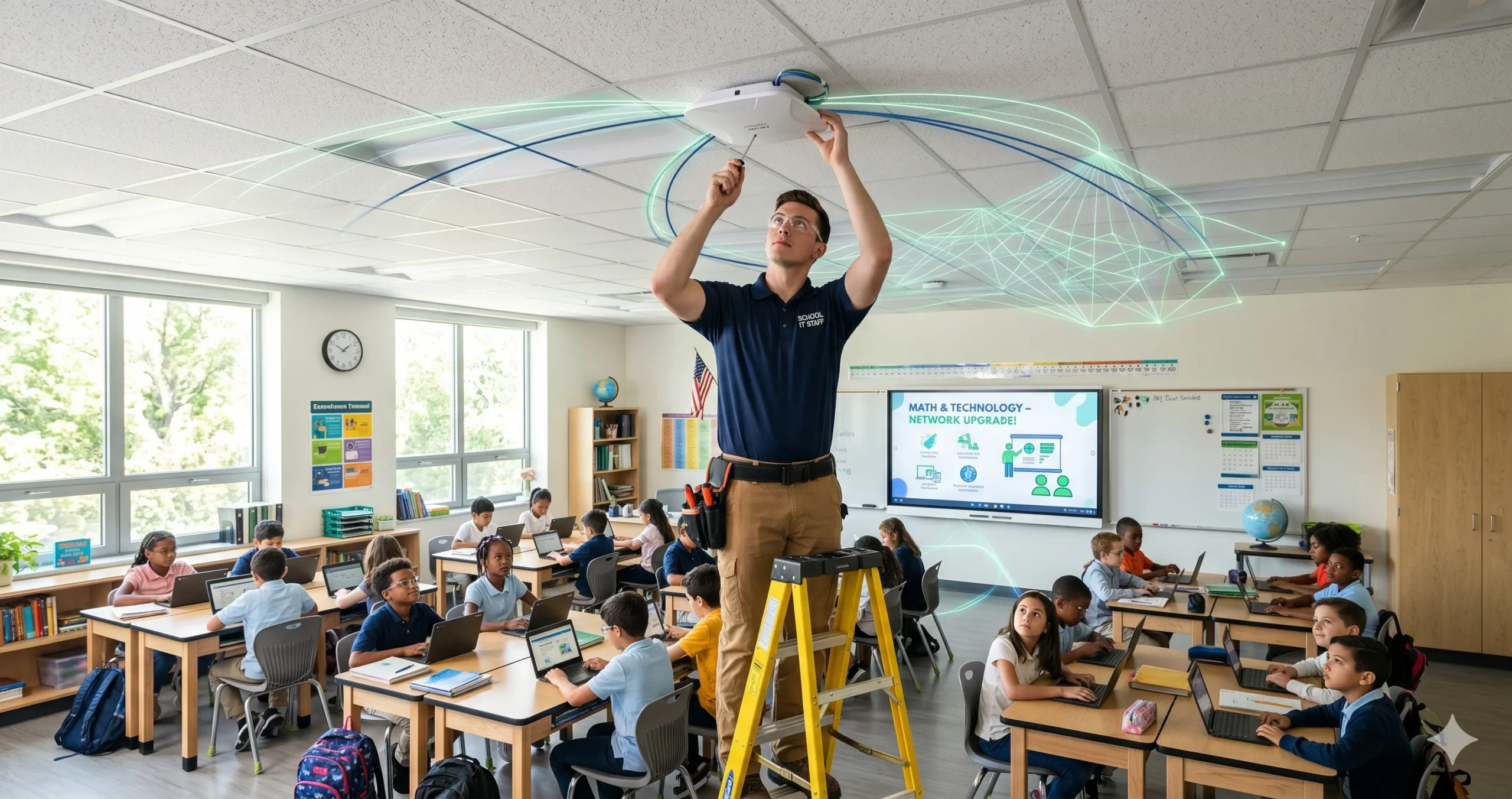
A new 5-year Category 2 budget cycle just launched with higher per-student allocations and a bigger funding floor. Here’s how to plan smart, spend strategically, and get the most out of every dollar.
Every five years, the E-Rate program resets its Category 2 (C2) budgets — and for schools and libraries across the United States, that reset is a major opportunity. The FY2026–2030 cycle just launched, and it comes with the biggest per-student allocation in E-Rate history.
But here’s the catch: how you use your C2 budget in Year 1 directly shapes what’s available for Years 2 through 5. Make smart decisions now and you can modernize your entire internal network. Make hasty ones and you’ll be stretching thin dollars over the back half of the cycle.
This guide gives you a clear framework for understanding your new Category 2 budget, planning strategically across the five-year cycle, and avoiding the most common mistakes applicants make.
What Is Category 2 Funding?
E-Rate funding is divided into two categories:
– Category 1: Covers external connectivity — internet access, fiber transport, data transmission, voice services
– Category 2: Covers the internal network — Wi-Fi access points, network switches, structured cabling, managed internal broadband services (MIBS), and basic maintenance of internal connections (BMIC)
Category 2 is what puts the internet in the hands of students and library patrons. Even if your Category 1 broadband pipe is excellent, a dated or overloaded internal network kills performance in classrooms and reading rooms.
Category 2 funding is allocated on a 5-year rolling budget per school building or library branch — not a per-year grant. You control when and how you spend it within the cycle.
Your New FY2026–2030 Budget: The Numbers
Per-Student Allocation
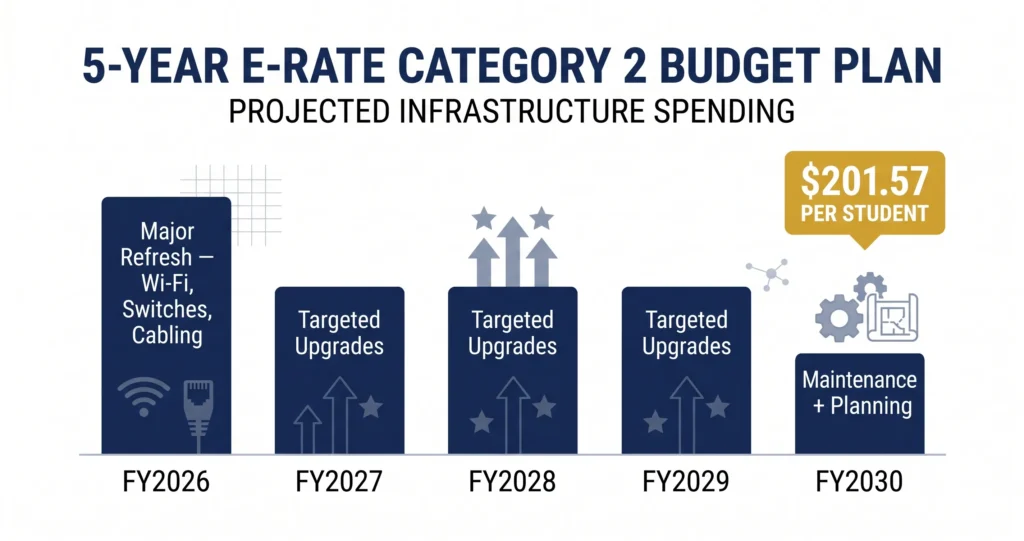
The new C2 budget for FY2026–2030 is $201.57 per student — a 20.7% increase over the prior FY2021–2025 cycle.
This number is based on the student count you certify in your first year of the new cycle. That count gets locked in and determines your total five-year Category 2 budget. Choose your base year count carefully and make sure it reflects your current enrollment accurately.
Funding Floors
Smaller schools and libraries with low enrollment or patronage counts benefit from minimum budget guarantees:
| Entity Type | FY2026–2030 Funding Floor |
Schools / School Districts $30,175 (up from $25,000)
Libraries / Library Systems $30,175 (up from $25,000)
Tribal Libraries $66,385 (up from $55,000)
If your per-student calculation falls below the floor, you automatically receive the floor amount.
How to Check Your Budget
You can look up your exact Category 2 budget using USAC’s free Category 2 Budget Tool at [USAC.org](https://www.usac.org/e-rate/). Enter your Billed Entity Number (BEN) to see:
– Your total five-year C2 budget
– Annual spending to date
– Remaining available balance
> Pro Tip: Check your C2 budget balance at the start of each funding year — before you plan projects, before you file a Form 470. Knowing exactly what’s available prevents you from over-committing or under-spending.
What Category 2 Funding Covers
Eligible Category 2 products and services include:
Internal Connections (IC)
– Wi-Fi access points and wireless controllers
– Network switches (managed and unmanaged)
– Structured cabling (horizontal and backbone)
– UPS (Uninterruptible Power Supply) units supporting eligible equipment
– Racks and related hardware
Managed Internal Broadband Services (MIBS)
– Third-party managed Wi-Fi or managed network services
Basic Maintenance of Internal Connections (BMIC)
– Repair and maintenance of eligible Category 2 equipment
– Wire and cable testing
– Software upgrades for eligible hardware (if part of a maintenance contract)
What’s NOT covered:
– End-user devices (laptops, tablets, desktops, printers)
– Servers (except under limited circumstances)
– Software not directly tied to eligible hardware maintenance
– Security cameras or building access systems
– Higher education institutions (E-Rate is K-12 and public libraries only)
How to Plan Your 5-Year Budget Strategically
Year 1: Go Big on Infrastructure
Year 1 of a new cycle is the ideal time to execute your biggest, most capital-intensive projects. Core network hardware — switches, access points, and structured cabling — typically carries a 3–5 year useful life, which maps almost perfectly to the five-year budget cycle.
Recommended Year 1 priorities:
– Full wireless infrastructure refresh (access points + controllers)
– Core and distribution switching upgrades
– Structured cabling where needed (especially in older buildings)
– POE (Power over Ethernet) switching to support modern Wi-Fi standards (Wi-Fi 6/6E)
Front-loading your spend in Year 1 means you execute the full upgrade now, when costs are predictable and the equipment will serve you through the entire cycle.
Years 2–4: Fill in the Gaps
After Year 1’s major refresh, use the remaining budget for:
– Secondary buildings or annexes that couldn’t be addressed in Year 1
– Managed internal broadband services (MIBS) if you prefer an outsourced model
– Additional switches or access points for new construction or relocated classrooms
– Basic maintenance contracts (BMIC) on Year 1 equipment
Year 5: Maintenance and Planning for Cycle 4
The final year of the cycle is a planning year as much as a spending year:
– Use remaining funds for BMIC (maintenance contracts)
– Conduct a full network audit to document what will need replacement in the next cycle
– Begin conversations with vendors early — you want competitive bids ready when the FY2031–2035 window opens
> Important Note: Unused Category 2 budget does not roll over into the next five-year cycle. If you don’t spend it within FY2026–2030, it’s gone. Plan to use your full allocation.
Step-by-Step: How to Maximize Your C2 Budget
Step 1 — Audit Your Current Infrastructure
Walk every building. Inventory every switch, access point, cable run, and patch panel. Note the age, condition, and capacity of each component. This audit is the foundation of your E-Rate project plan.
Step 2 — Map Your Needs to Eligible Services
Cross-reference your infrastructure gaps with the E-Rate Eligible Services List (ESL) for FY2026. Make sure every item you plan to request is clearly eligible under the current ESL before you build your project scope.
Step 3 — Calculate Your Total Available Budget
Use USAC’s Category 2 Budget Tool to confirm your exact five-year allocation. Factor in your discount percentage (based on NSLP eligibility and urban/rural designation — ranging from 20% to 90%).
Step 4 — Prioritize Projects by Impact and Urgency
Rank your projects: What’s most likely to directly impact student learning? What’s failing or end-of-life? What has the broadest reach? Lead with high-impact, high-urgency items.
Step 5 — File Form 470 Early
Describe your Category 2 project scope on Form 470 to open the competitive bidding process. Be thorough but not overly prescriptive — you want real competitive bids, not just one vendor responding.
Step 6 — Evaluate Bids Carefully
The E-Rate program requires you to select the most cost-effective bid, with price being the primary factor. Document your bid evaluation process — USAC may ask for it during Program Integrity Assurance (PIA) review.
Step 7 — File Form 471 on Time
Submit your funding request within the Form 471 filing window. Include all FRNs (Funding Request Numbers) for your C2 projects.
Common Category 2 Budget Mistakes
Mistake 1: Not locking in enrollment counts accurately in Year 1
Your entire five-year C2 budget is based on the student count you certify in your first application year of the cycle. An undercount means a smaller budget for the full five years — with no way to correct it later.
Mistake 2: Buying ineligible equipment
End-user devices, servers, and software not tied to eligible hardware are not covered. Double-check the current Eligible Services List before finalizing your scope.
Mistake 3: Waiting until Year 3 or 4 to start
Some schools hold off because the process feels complex. But the longer you wait, the more your equipment deteriorates — and the less time you have to complete projects before the cycle ends.
Mistake 4: Ignoring the CIPA requirement
All Category 2 funding requires CIPA compliance certification. If your internet safety policy is out of date or your filtering technology isn’t properly documented, you could lose your entire C2 request.
Mistake 5: Not planning for the matching requirement
Your E-Rate discount covers a percentage of eligible costs. Your school or district must cover the rest (the non-discounted share). Make sure your local budget is aligned before committing to large projects.
Key Takeaways
— The new FY2026–2030 Category 2 budget is $201.57 per student a 20.7% increase over the prior cycle
– The funding floor for smaller entities is now $30,175 (Tribal libraries: $66,385)
– Your five-year budget is locked based on the enrollment count you certify in Year 1 of the cycle
– Front-load major infrastructure projects in Year 1 — switches, access points, cabling
– Use USAC’s free Category 2 Budget Tool to check your exact balance before planning
– Unused C2 budget does not roll over, plan to use your full allocation by FY2030
– CIPA compliance is required for all Category 2 requests
—
Start Planning Your Network Upgrade Today
The FY2026–2030 Category 2 cycle is the best opportunity in five years to modernize your school or library network — and with full funding confirmed for FY2026, there’s never been a better time to apply.
E-Rate Compass has the resources, checklists, and expert guidance to help you make the most of every dollar in your Category 2 budget. Whether you’re planning a single-building Wi-Fi upgrade or a district-wide network refresh, we’re here to help you do it right.
Download our free Category 2 Budget Planning Checklist or contact us today to talk through your project scope.
Sources: [FY2026–2030 Category Two Funding Adjustments — FundsForLearning](https://www.fundsforlearning.com/news/fy2026-2030-e-rate-category-two-funding-adjustments/) | [New Category 2 E-Rate Budgets — Turn-Key Technologies](https://www.turn-keytechnologies.com/blog/category-two-funding-adjustments) | [HWC Consultants — FY2026 Application Window Opens](https://www.hwc-consultants.com/blog/latest-updates-on-e-rate-funding) | [USAC CIPA Requirements](https://www.usac.org/e-rate/applicant-process/starting-services/cipa/)